Skip to content


WooCommerce is remarkably good at running an online store. It handles everything from product catalogs and inventory to payments, orders, customer accounts, and shipping.
For businesses that have spent years building their operations around WordPress and WooCommerce, that infrastructure represents a serious investment.
But as a store grows, its frontend may need more flexibility than a traditional WordPress theme can comfortably provide.
That’s where Next.js comes in.
By combining WooCommerce with a headless Next.js frontend, businesses can build a faster, highly customized shopping experience while keeping the WordPress and WooCommerce infrastructure they already depend on.
The key is understanding what each platform does best and building an architecture that lets them work together.
How Headless WooCommerce Works With Next.js
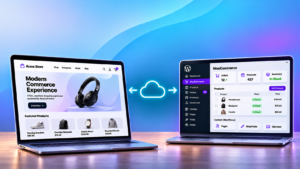
In a traditional WooCommerce setup, WordPress handles both sides of the website. It provides the administrative dashboard where teams manage their store and generates the pages customers interact with.
A headless setup separates these responsibilities.
WooCommerce remains the commerce engine. It manages products, inventory, customers, orders, pricing, taxes, shipping, payments, and other business operations. WordPress continues serving as the content management system.
Next.js becomes the customer-facing storefront. It handles the visual experience, including product pages, navigation, search, shopping carts, and checkout interfaces.
The two communicate through APIs, often with the Next.js server acting as an intermediary between the customer’s browser and WooCommerce.
This arrangement gives developers greater freedom to design the shopping experience without rebuilding the business logic that WooCommerce already handles.

What Happens When a Customer Visits the Store?
Here’s what happens when someone browses products, adds an item to their cart, and places an order.
With a properly configured headless storefront, these actions follow three different paths.
- Browsing products: Next.js can serve pre-rendered, cached product pages without requesting fresh content from WordPress every time. Images, descriptions, and other storefront elements load through the frontend. When product information changes, WooCommerce can notify Next.js to refresh the relevant content.
- Adding products to the cart: The Next.js storefront communicates with WooCommerce’s Store API, which manages cart sessions, quantities, coupons, and shipping information. The frontend displays the results, but WooCommerce maintains the underlying cart state.
- Completing checkout: The customer interacts with a checkout interface built in Next.js. Behind the scenes, WooCommerce validates pricing, inventory, discounts, shipping, and payment details before creating the order.
Every order still belongs to WooCommerce. Staff can process purchases, manage refunds, review customer information, and handle fulfillment through the familiar WordPress dashboard.
The separation changes how customers interact with the store while preserving its existing operational foundation.
Why Next.js Can Improve WooCommerce Performance
One of the strongest arguments for a headless architecture is the ability to reduce the amount of work required to serve customer-facing pages.
Traditional WooCommerce stores can already be extremely fast with good hosting, efficient themes, and proper caching. However, complex storefronts may accumulate scripts, plugins, and dynamic functionality that increase page weight and server processing.
Next.js provides additional ways to manage that workload.
Pre-rendered Pages and Smarter Caching
Product pages, category listings, and other frequently visited content can be rendered ahead of time and served from a cache.
Instead of requiring WordPress to assemble each page, Next.js can deliver ready-to-display content directly to visitors.
When a product changes, targeted cache revalidation allows the storefront to update the affected pages without rebuilding the entire website.
Meanwhile, dynamic operations such as checkout, account information, and cart totals continue communicating with WooCommerce in real time.
This distinction matters. Product descriptions can be cached. A customer’s final order total must always be accurate and skip caching.
More Control Over the Frontend
Next.js also gives developers precise control over how the storefront loads.
Images can be optimized for different devices, unnecessary JavaScript can be reduced, and secondary features can load after the important page content.
These improvements can contribute to better Core Web Vitals, smoother mobile browsing, and faster interactions.
The Next.js ecosystem is constantly pushing the boundaries of web tech innovation to improve key performance metrics like Largest Contentful Paint (LCP), Interaction to Next Paint (INP), and Cumulative Layout Shift (CLS).
By prioritizing visible content, reducing JavaScript execution, and preventing unexpected layout shifts, developers can create storefronts that load faster, respond more smoothly, and remain visually stable as customers browse.
An Additional Layer of Security
Performance is only part of the appeal.
A carefully designed headless setup can also reduce the public exposure of the WordPress infrastructure.
In a conventional configuration, the WordPress server typically handles requests from both shoppers and administrators.
With Next.js in front, public traffic can pass through a reverse proxy and security services such as Cloudflare. The Next.js server can then communicate with WooCommerce over a private network connection.
This makes it possible to restrict direct access to the WordPress origin while allowing approved server-to-server communication.
The architecture can provide several advantages:
- WordPress administration can sit behind additional authentication and access controls.
- API credentials can remain on the server rather than being exposed to browsers.
- Firewalls can limit which systems communicate directly with WordPress.
- Rate limiting and bot protection can operate before requests reach the WooCommerce backend.
These protections depend on the implementation. Payment callbacks, authentication, and certain API endpoints still require carefully controlled access.
Headless architecture creates opportunities for stronger isolation, but it does not eliminate the need for WordPress security updates, plugin maintenance, or server hardening.

Keeping WooCommerce’s Existing Functionality
A major concern with headless development is what happens to the functionality a store already uses.
WooCommerce businesses often depend on a carefully selected collection of extensions for shipping, payment gateways, subscriptions, marketing automation, and fulfillment.
Much of that functionality can remain in WordPress because the underlying commerce operations still run through WooCommerce.
For example, a shipping plugin can continue calculating rates while Next.js displays those rates during checkout. An order management extension can keep processing orders without needing to control the storefront’s appearance.
However, compatibility requires planning.
Plugins that rely on traditional WordPress templates, checkout fields, or frontend JavaScript may require custom integration. Payment gateways and customer account features deserve particular attention.
The goal should be to preserve working business processes and adapt only the parts that need to communicate with the new frontend.
SEO Still Matters in a Headless Store
Moving to Next.js also changes how pages reach search engines.
Product URLs, metadata, canonical tags, structured data, XML sitemaps, and redirects must all be handled correctly by the frontend.
Next.js can deliver SEO information directly in server-rendered HTML, making important content available without relying on client-side JavaScript execution.
For an established WooCommerce store, preserving existing URLs and transferring SEO settings accurately should be part of the migration plan.
The priority is continuity. A frontend rebuild should improve the shopping experience without unnecessarily disrupting years of search visibility.
Is Headless WooCommerce Right for Every Store?
As WooCommerce stores grow, maintaining fast loading times and a smooth shopping experience becomes increasingly challenging.
More products, higher traffic, and a growing number of plugins can put additional pressure on the WordPress server. Each new feature may introduce scripts, database queries, and background processes that compete for resources, eventually affecting storefront performance.
This is where headless WooCommerce with Next.js becomes particularly valuable.
By separating the customer-facing storefront from the WooCommerce backend, businesses can handle more browsing traffic without requiring WordPress to generate every page.
Next.js can serve pre-rendered and cached content efficiently, while WooCommerce continues managing inventory, orders, payments, and other essential operations.
This separation also gives developers greater freedom to introduce advanced features, customize shopping experiences, and optimize frontend performance without adding more complexity to the WordPress theme.
Of course, scaling a headless store still requires proper infrastructure. API integrations, caching strategies, database performance, and checkout reliability all need careful attention to ensure both systems work efficiently together.
At CoSpark, our WooCommerce development services help businesses identify performance bottlenecks and build infrastructure that supports growth.
Whether that involves optimizing the existing WooCommerce backend or developing a custom Next.js storefront, we focus on creating eCommerce experiences that remain fast, reliable, and manageable as traffic and business demands increase.

Building on WooCommerce’s Strengths
WordPress and WooCommerce provide a mature foundation for running an online business. Their flexibility, extensive integrations, and familiar management tools are major reasons businesses choose them.
Next.js offers another way to deliver that foundation to customers, especially for a business that is focused on scaling.
For stores with demanding frontend requirements, the combination can provide greater design freedom, more precise performance optimization, and stronger infrastructure separation while keeping WooCommerce at the center of operations.
At CoSpark, we help businesses build and optimize WooCommerce stores for better performance, reliability, and growth.
Whether you want to improve your existing WordPress storefront or explore a headless WooCommerce solution with Next.js, we’re here to help.